Storiis Support
Storylines and Story Beats
Updated
A storyline is a continuing dramatic thread: the main conflict, a relationship, a mystery, a political struggle, a character’s private goal or any other line of development that moves through multiple scenes.
A story beat is a meaningful development within that thread. Scenes carry those beats into the actual telling of the story.
This separation lets one scene do several jobs. A disastrous dinner might advance the romance, reveal a clue in the mystery and push a sibling rivalry past the point of no return. Efficient? Yes. Pleasant for the characters? Probably not.
Opening the Storylines Panel
Storylines live in the Storylines panel at the bottom of Plan → Scenes. Drag the divider to resize it, or double-click the divider to expand or collapse the panel. You can also choose Scenes → Toggle Storylines Panel or press Command–Backslash.
The panel can display storylines as cards or as a table. A storyline filter controls which threads are visible in both layouts.
Creating a Storyline
Select New Storyline from the panel or the Scenes menu.
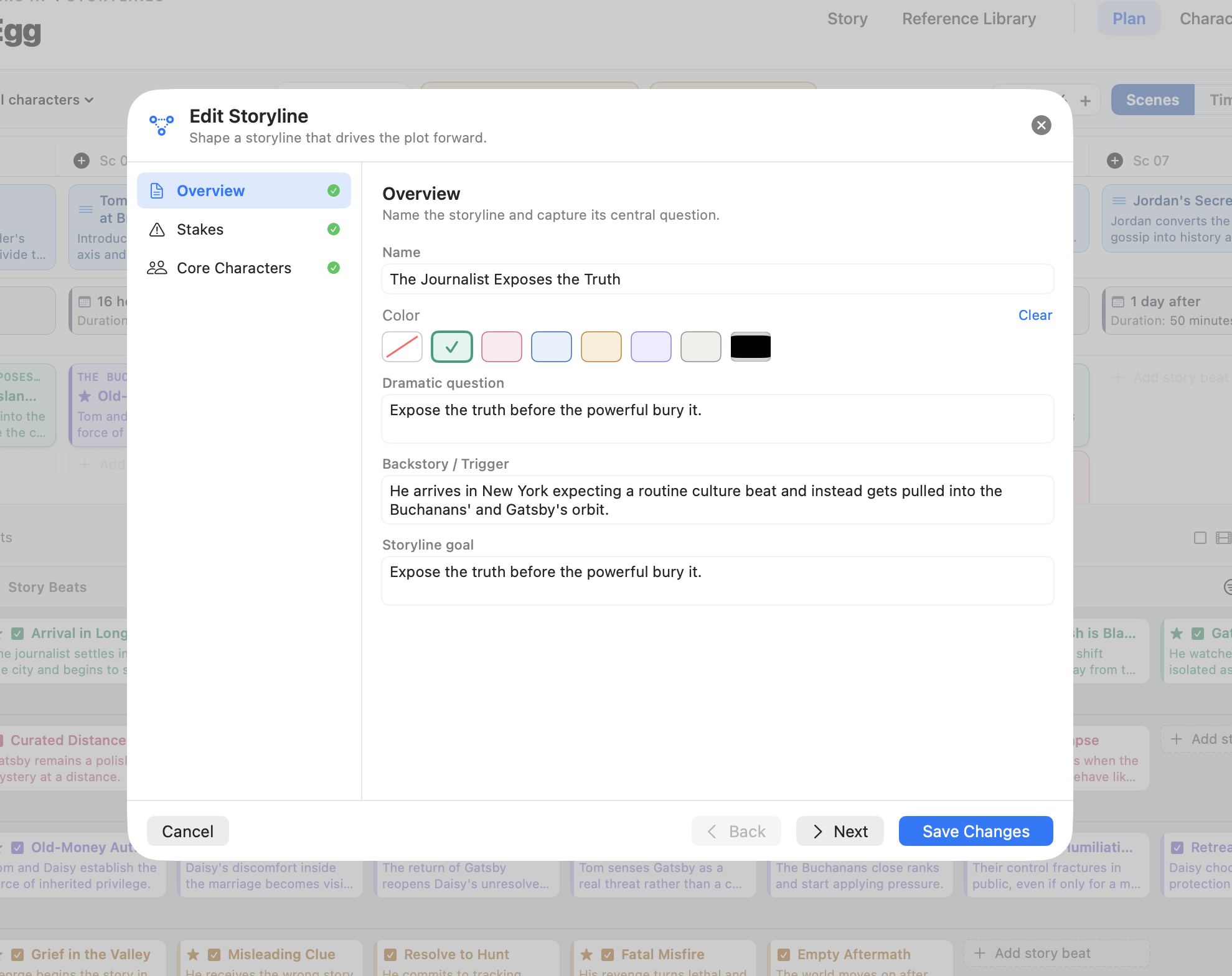
The creation flow lets you define the storyline’s:
- Name
- Dramatic question
- Backstory and goal
- Template or custom beat structure
- Core and supporting characters
Core characters are the people the storyline is fundamentally built around. They are separate from the Story section’s Key Cast, which describes the central cast of the whole story.
Using a Template
A template creates a starting set of named beats based on a familiar structural pattern. Select a template to preview its steps, or choose No Template to start with an empty storyline.
Templates are scaffolding, not sacred geometry. Rename, reorder, add or remove beats to suit the story in front of you.
Working with Story Beats
Each beat belongs to a storyline. Add beats within the storyline, insert them between existing beats and drag them to reorder the progression.
Beats that are not currently assigned to a storyline appear under Unassociated Story Beats. Move them into a storyline when their purpose becomes clear, or leave them unassociated while you are still deciding.
Select a beat to edit it in the inspector. A beat can also connect to a branching substoryline.
Connecting Beats to Scenes
There are two common ways to connect a beat:
- Open a scene and add an existing beat under Story Beats.
- Drag or assign beats while working in the Scenes view.
A scene can contain beats from several storylines. One beat can be marked as the scene’s Primary beat—the development most responsible for that scene’s existence. Only one beat can be primary in a scene.
Default Storyline
Mark a storyline as the default when it should be offered first during scene creation and other Plan workflows. This is usually the main dramatic thread, but it can be whichever storyline you are actively building.
Substorylines
A substoryline branches from a beat in another storyline. Use one when a particular development creates a new, distinct thread that still has a clear point of origin.
Do not make every thematic echo into a substoryline. If the thread does not develop through its own beats, it may be a scene detail, character concern or theme rather than a separate plot line.
Deleting a Storyline
When deleting a storyline, Storiis asks what should happen to its beats. You can leave them unassociated or move them to another storyline rather than losing the work automatically.
Drafting a Storyline with AI
While creating a storyline, Help me with this can draft its name, dramatic question, backstory and goal from the Story overview, outline and existing storylines. The draft is placed into the manual creation flow so you can revise it before creating anything.
AI can also propose storylines while developing a broader scene plan. Treat those suggestions like templates: useful starting shapes that should earn their place in your story.
A Practical Storyline Set
For an early Plan, try beginning with:
- One main external conflict
- One protagonist arc or central relationship
- One important subplot, if the story genuinely needs it
Add more only when you can describe what changes across their beats. A storyline with no development is not yet a storyline; it is an interesting noun wearing a plot-shaped hat.