Storiis Support
Characters
Updated
Characters is where you develop the people who make the Plan matter. A profile can be as lean as a name, role and motivation, or as detailed as a full dossier covering history, psychology, relationships, physicality and change.
The goal is not to complete every field. It is to understand enough of a character that their choices feel specific—and troublesome in exactly the right ways.
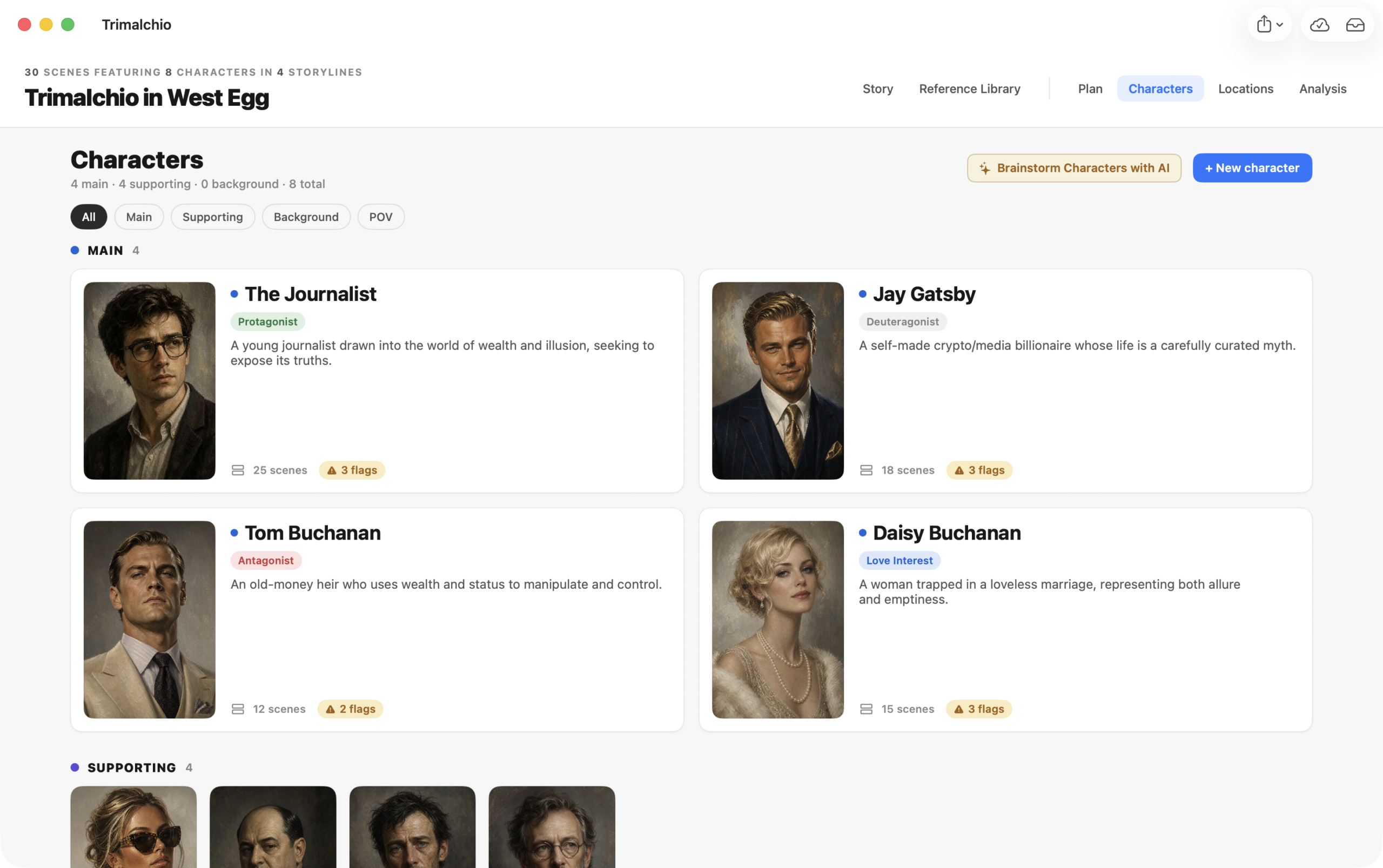
The Character Gallery
The gallery groups characters by role:
- Main — central characters whose choices and journeys drive the story
- Supporting — recurring characters with meaningful dramatic functions
- Background — smaller roles that still need identity and continuity
Select a card to open the profile. Character images can be uploaded, added from a web address or generated with AI.
Identity
Identity holds the character’s core presentation: name, summary, story role, nicknames and temperament traits. It also supports relationships between characters, including reciprocal roles.
For example, if one character is another’s mentor, the reverse relationship can describe the second character as the mentor’s student. Relationships are more useful when they reflect how each person experiences them, not merely a family-tree label.
The Story section’s Key Cast identifies the central cast of the whole story and records their Wants and Needs. Character role and Key Cast membership are related, but they are not the same setting.
Backstory
Backstory provides space for the history that shapes the character before the first planned scene. Record what affects current decisions; you do not need to write the authorized biography of someone who does not technically exist.
Journey
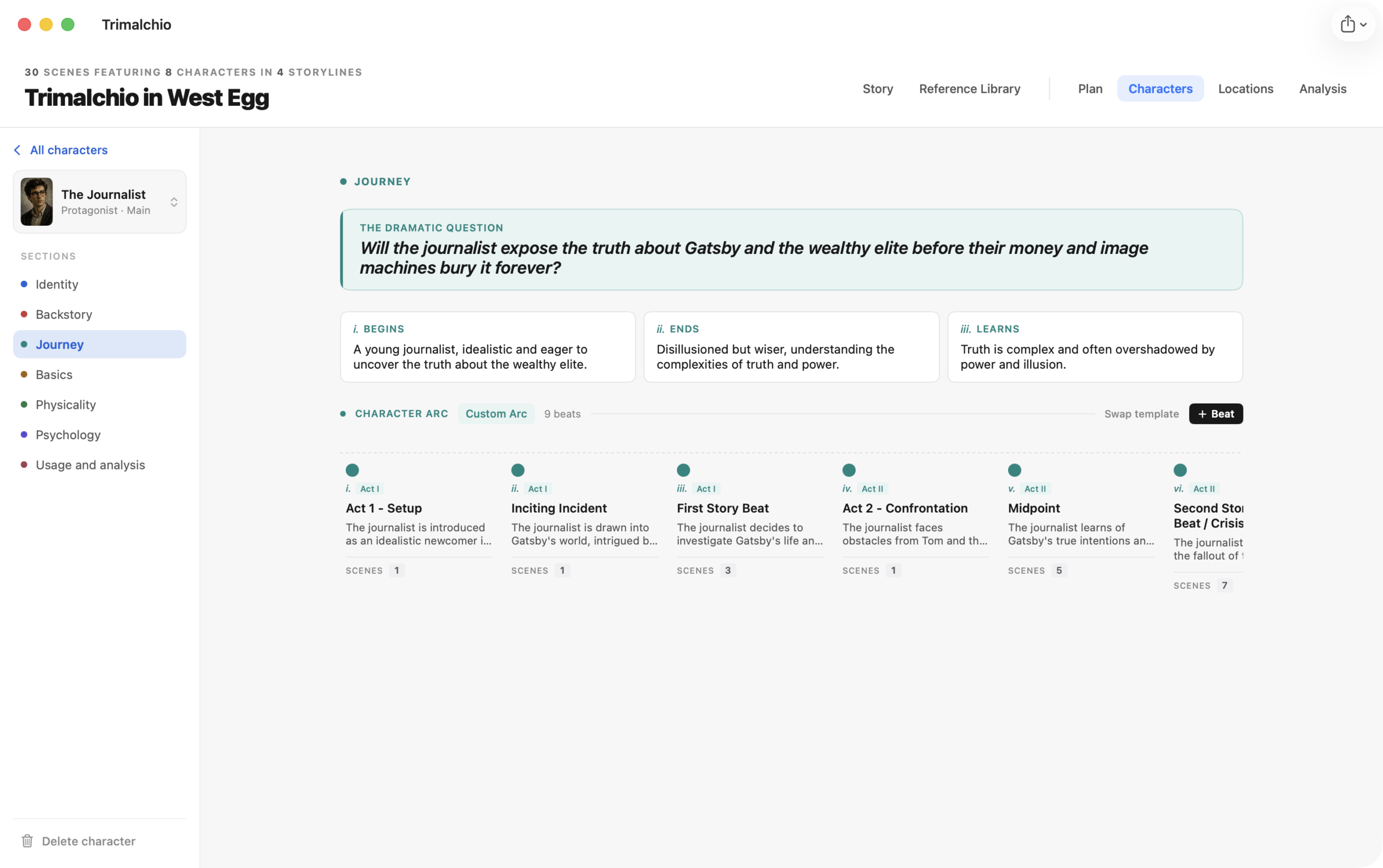
Journey describes how the character changes across the story. You can define:
- A dramatic question
- Starting and ending states
- The story’s eventual takeaway for the character
- Journey beats, created manually or from a template
Journey beats are character developments. Story beats belong to storylines. A single scene can contain both: the plot thread changes, and so does the person living through it.
Basics
Basics covers the forces beneath the character’s behavior, including motivations, goals, wounds, beliefs and personality.
Contradictions are welcome. A character can want intimacy and habitually flee it; that is generally more useful than a perfectly aligned list of admirable adjectives.
Physicality
Physicality includes practical identity and presence: vital details, age and birth information, appearance, voice and how the character occupies a room.
Use these fields for details that affect recognition, action or continuity. A precise eyebrow measurement remains optional.
Psychology
Psychology supports structured lenses including Jungian archetypes and Big Five personality traits. Use them as prompts for consistency and contrast, not as machines that dictate every action.
The profile also provides room to explain the reasoning behind a selection. That explanation is often more valuable than the label itself.
Usage and Analysis
Usage and analysis connects the profile back to the Plan. It shows scene appearances, character journey beats and AI findings associated with the character.
Use it to check whether an important character disappears for too long, whether their changes are represented in scenes and whether analysis has identified arc problems. Select connected Plan items to investigate them in context.
Creating Characters While Planning
You can create a character while building a scene, then return here to develop the full profile. This is often more natural than inventing the entire cast before knowing who the Plan actually needs.
Brainstorm Characters with AI
Story brainstorming can propose characters based on your overview, outline and existing cast. Review proposals before adding them; a plausible character is not automatically a necessary one.
Character profiles also offer AI assistance for selected development tasks. Requests use the story material you choose as context and show an estimated credit cost before they run.
Generating a Character Image
Choose the AI image option from the character’s image controls, describe the desired portrait and review the result before using it. Generated images use credits.
Images are creative references, not locked casting decisions. If the generated portrait starts bossing the character around, remind it which one of you has dialogue.
Explore this feature