Visual story planning
Build the story behind every scene.
Storiis is visual story planning software for Mac. Turn storylines into beats, beats into scenes, and scenes into a connected plan you can understand before you begin drafting.
Planning, not manuscript writing
Storiis is where you work out the story. When the plan is ready, export it to Scrivener, Word, a spreadsheet, or the drafting workflow you already use. Use AI? Directly connect to your plan with Cloud AI Access.
Built for novelists, screenwriters, and series writers managing more characters, subplots, and story details than a linear outline can comfortably hold.
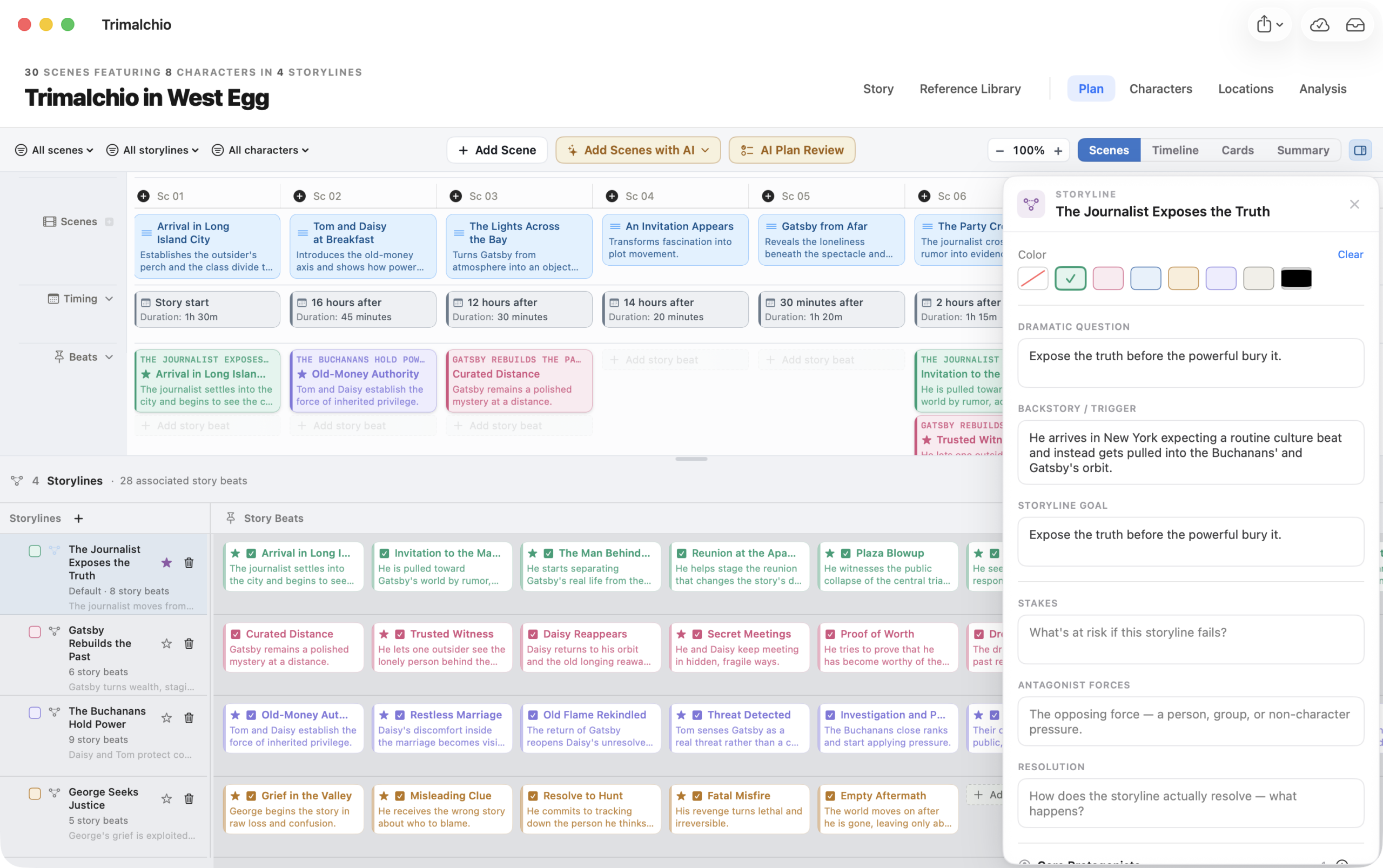
Start with the dramatic threads
Follow every storyline from question to resolution.
Build the central conflict, a character arc, a relationship, a mystery, or any thread that develops across the story. Give each one a dramatic question, a goal, and the beats that carry it forward.
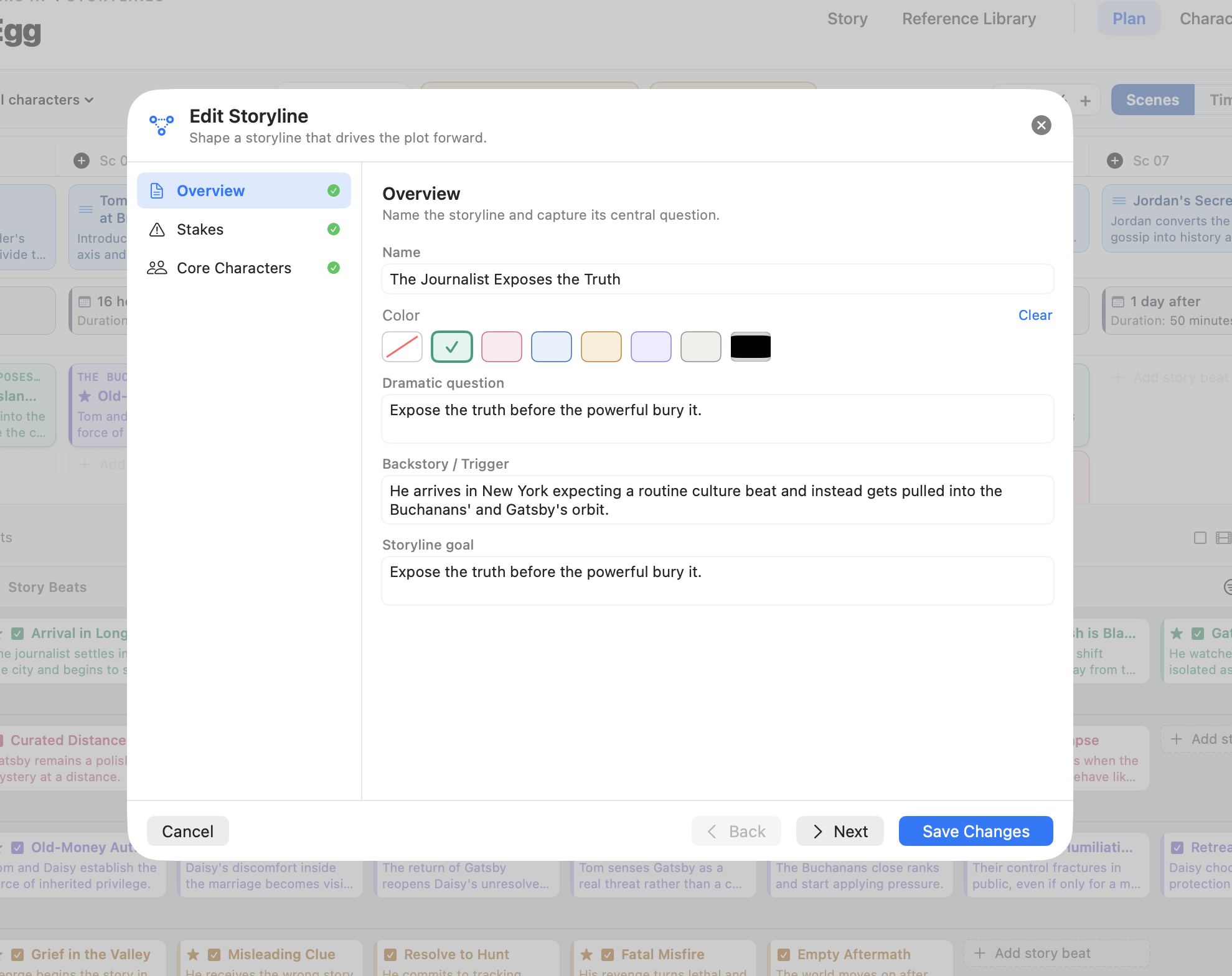
Main plot, character arcs, relationships, and subplots—developing together in one Plan.
Build the story scene by scene
Give every scene a purpose, a change, and a place in the story.
A title and a sentence are enough to begin. When you are ready to go deeper, Storiis helps you answer the questions that turn an idea for a scene into something you can actually write.
01 · Purpose
Why is it here?
Narrative function, story beats, storyline interaction, scene type, tone, and pace.
02 · Action
What happens?
Scene goal, core events, conflict or obstacle, turning point, and subtext.
03 · Context
Who, what, where and when?
Cast, point of view, locations, timing, duration, and the canonical facts revealed to the audience.
04 · Change
What’s changed?
Entry and exit states, character development, new knowledge, and placement within the act, sequence, or chapter.
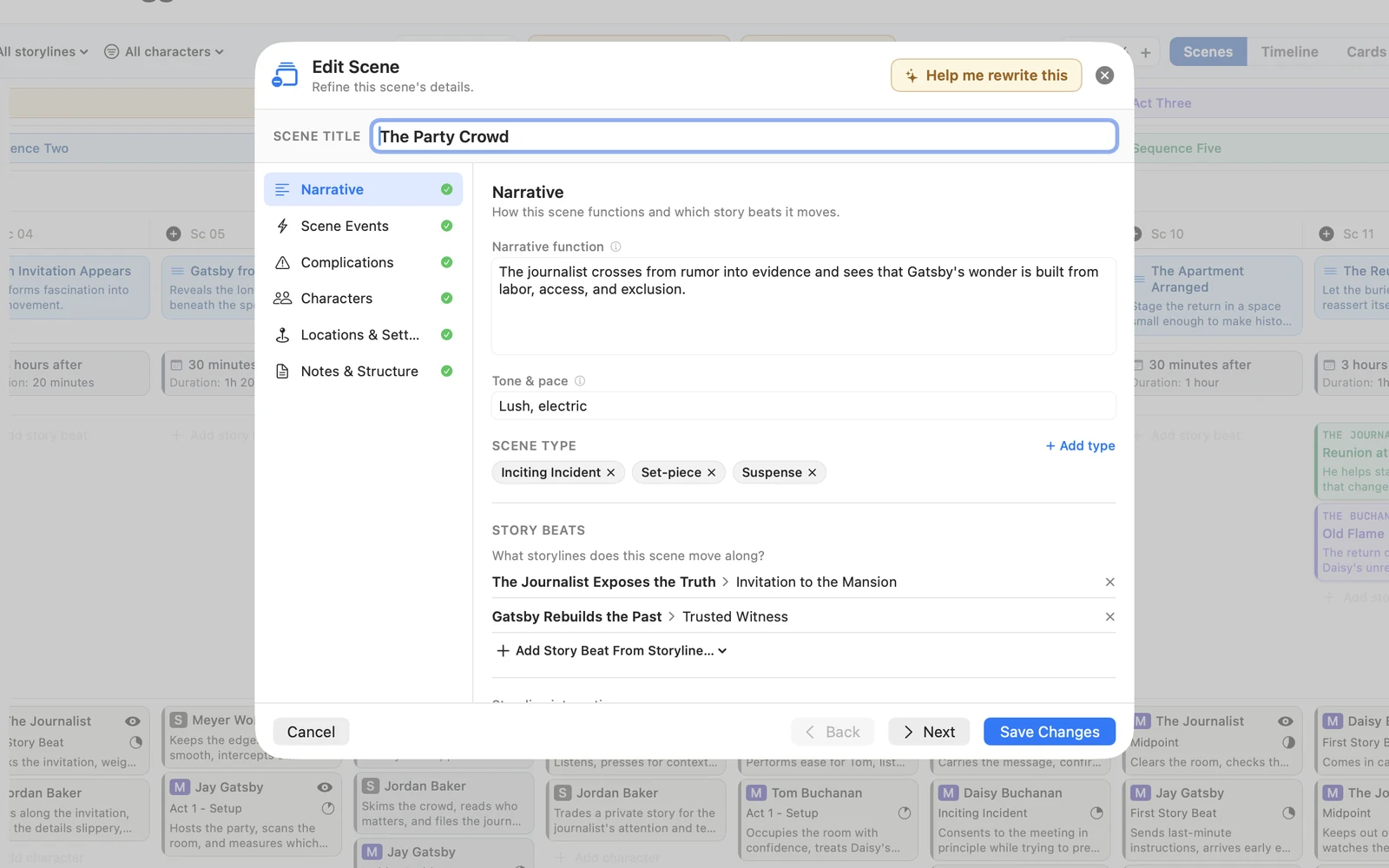 Narrative · 1 of 6
Build lightly at first. Add detail only when it helps you understand or draft the scene.
Build manually or ask for another perspective.
Brainstorm one missing scene, propose a first scene structure, or review the Plan you already have. Nothing becomes part of your story until you choose it, and every AI feature can be hidden. Explore using AI for crafting scenes →
Visually arrange your story
Edit your story like you’re editing the movie based on it.
Scenes run in the order your audience experiences them. The people, places, beats, reveals, and timing connected to each scene stay visible beneath it. Work on one moment without losing sight of the whole.
Make it all make sense
See your story from multiple perspectives.
Timeline, Cards, and Summary.
Powerfully different ways of understanding the same Plan.
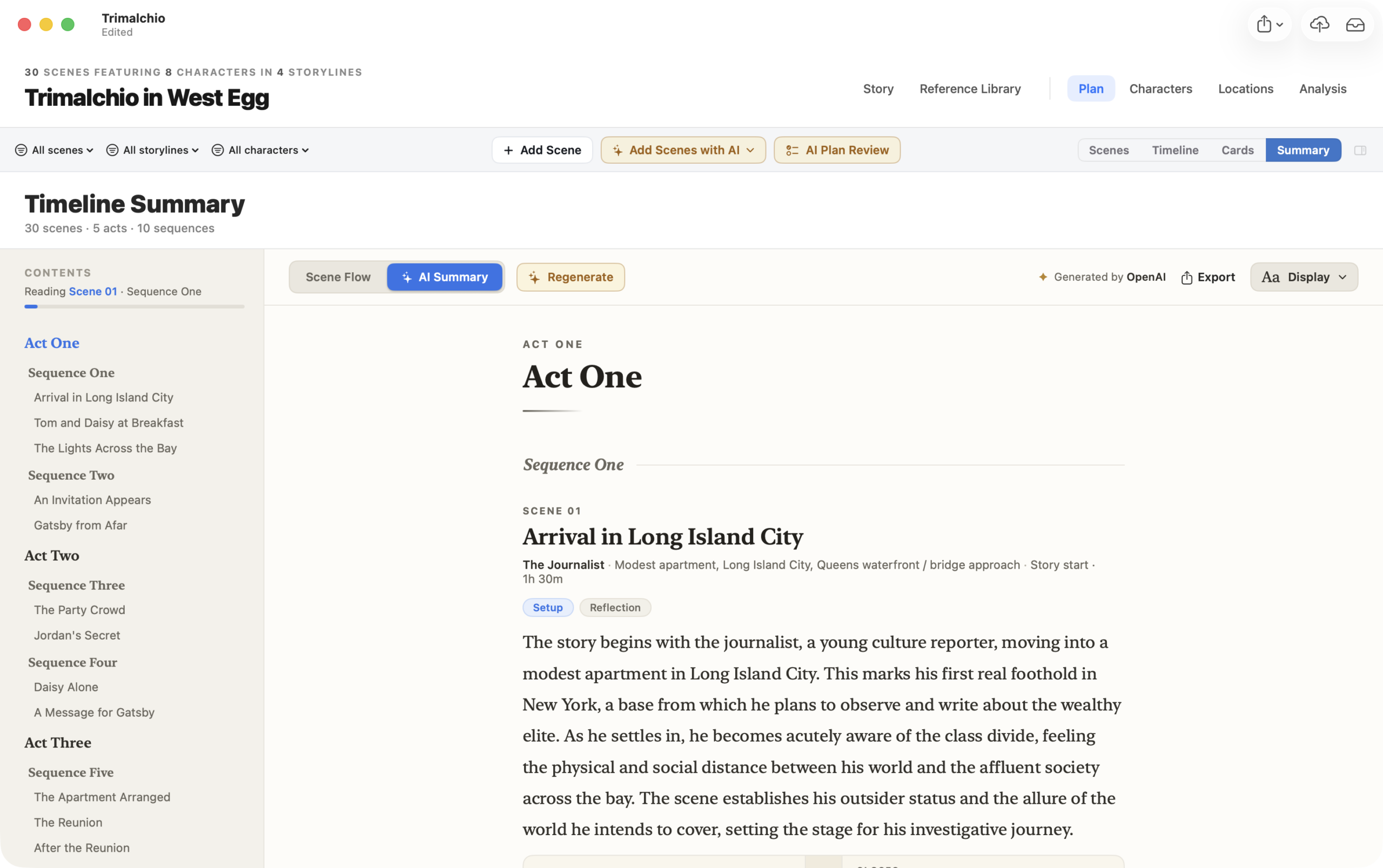
One connected Plan. Multiple ways to understand it.
Learn the details
Your idea into the solid path you can follow
Plan the story to know what comes next.
Build a visual plot grid from storylines, beats, and scenes. Rearrange the reading order, compare arcs and see how each scene advances the story before you draft.